


Three ways to automate campaign performance review for mobile UA — rules, Claude + MCP, autonomous audit — and what each catches, misses and costs to maintain.
Oct 19, 2026 - 8


You can automate campaign performance review for mobile UA in three ways:
They aren't substitutes. Rules are a stop-loss, an LLM is an analyst you can ask anything, and an audit is coverage. This guide shows how to set up each one, with a working prompt, and what each catches, misses and costs you to maintain.
In this guide: Compare the three · Option 1: rules · Option 2: Claude + MCP · Option 3: autonomous audit · What to combine
The short version: if your problem is "I need spend to stop when CPI explodes at 2 a.m.," use rules. If it's "I want to ask questions about my account in plain English," use an LLM with MCP. If it's "I don't have time to check everything that could be going wrong, every day, against my MMP cohorts," that's what an audit is for.
Both Meta Ads Manager and Google Ads let you define if-then rules that run on a schedule and either change something (pause, adjust budget or bid) or just send you an email. On Google, App campaigns support rules at the ad group level.
Three rules worth having on almost any app account:
(The multipliers are starting points; tune them to your account's normal variance.)
What rules catch: sudden, single-metric breaks inside one network, fast.
What they miss:
Maintenance: every rule is a threshold someone has to keep calibrated, and rules multiply. Google's own guidance warns that rules don't prioritize themselves: when two rules act on the same items at the same time, both run. Rules that pause things are also dangerous on cohort metrics, because young cohorts always look worse.
This is the option UA teams are experimenting with most in 2026, and for good reason. Meta has an official Ads MCP server, Google has an official read-only Google Ads MCP server, and the MMPs offer their own. Claude can now run tasks on a schedule. In Cowork, scheduled tasks run remotely, so they fire even when your computer is asleep. Wire it up and you have an analyst that reads your accounts every morning.
Here is a scheduled-task prompt we'd start with. It's deliberately narrow, because narrow prompts give stable answers:
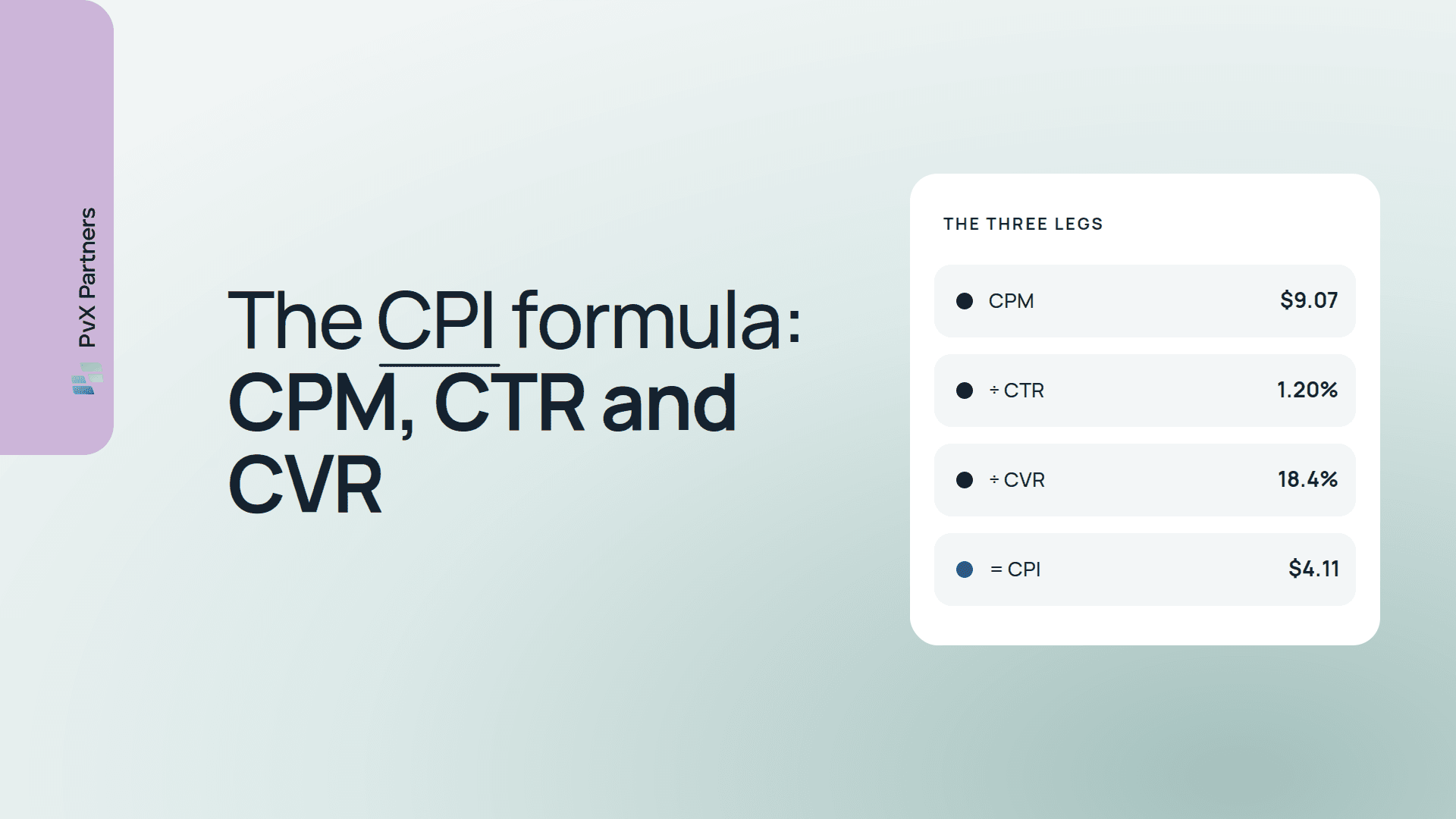
Every weekday at 07:00 (account time zone): 1. Using the Meta Ads connector, pull yesterday and the prior 28 days for every ACTIVE campaign and ad set: spend, impressions, clicks, installs. 2. Compute CPM, CTR, CVR (installs/clicks), CPI and IPM for yesterday, the trailing 7-day average, and the prior 28-day average. 3. Flag only entities that spent >= $100 yesterday AND whose 7-day CPI is >= 20% above their own 28-day CPI. 4. For each flag, say which of CPM, CTR or CVR moved most (use ln ratios), and whether the same country moved on other ad sets too. 5. Output at most 5 flags, sorted by yesterday's spend, as a table. If nothing qualifies, say "No flags" and stop. 6. Do not recommend pausing anything. Do not change any settings. Why it's built this way:
Scale. Run the arithmetic on a mid-size account: 80 ad sets × 29 days × 4 raw metrics is about 9,300 values for Meta alone, before country and OS splits. Add a 5-country × 2-OS breakdown and it's over 90,000; add Google and the MMP and it keeps growing. Either the model reads a summary (and misses what's in the detail) or it pages through raw rows (slow, expensive, and prone to skipped rows). The checklist this replaces has 100+ checks; a prompt covers the five or ten you remembered to write.
The MMP join. Cohort ROAS lives in AppsFlyer, Adjust or Singular, not in Meta. To ask "is this CPI rise buying worse users?", the task has to pull both and join them on campaign, date, country and OS. It also has to handle the naming and time-zone mismatches between sources. That's the real engineering, and it's described in how to join MMP and ad network data.
Repeatability. The same data can produce differently worded or differently prioritized findings on different days. For an analyst you chat with, that's fine. For a daily monitor whose job is to tell you what changed, it's a problem: you can't tell whether the account moved or the model did.
Maintenance. Connectors change their tools, prompts drift as people edit them, and someone has to own the task when it silently stops running. Budget for that time honestly.
Use it for: ad-hoc questions, weekly narrative summaries, and exploring a hunch. It's excellent at those. If you're deciding whether to build the whole audit this way, Claude + MCP or a specialized AI UA agent? and can Claude + MCP run a nightly UA audit? go deeper.
The third approach skips the prompt entirely. A fixed library of checks — every metric family crossed with every dimension, plus delivery, creative and prioritization checks — runs against your MMP and ad network data every night. A validity gate suppresses unreadable slices first; deduplication collapses one root cause into one finding. The output is a short, ranked brief.
PvX Delta is built this way:
What it catches: the things nobody has time to check by hand. That includes ad set failures hidden in campaign averages, rest-of-world drift, campaigns trailing their peers on cohort ROAS, and creative decay before CPI breaks. It also catches measurement breaks that look like performance changes. The full list is in the PvX Delta check library.
What it doesn't do:
For most app teams the sensible setup is all three, each doing the job it's good at:
That moves the morning review from "open six dashboards" to "read seven findings and decide." What the before-and-after routine looks like is in how to automate the UA manager's morning review. Which checks belong in the daily pass and which in the weekly one is in daily vs weekly UA checks.
Add the coverage layer tonight.
PvX Delta runs 100+ checks across your MMP and ad networks every night. Free, read-only.
Oct 19, 2026 - 7 minutes
Oct 16, 2026 - 10 minutes
Oct 16, 2026 - 15 minutes
Some of the fastest growing businesses in the industry